 Focus Deck
A little room to focus
One thing.
A quieter screen.
Keep your current task in view, over a quiet landscape. A small Mac app for getting back to what you meant to do.
Download for Mac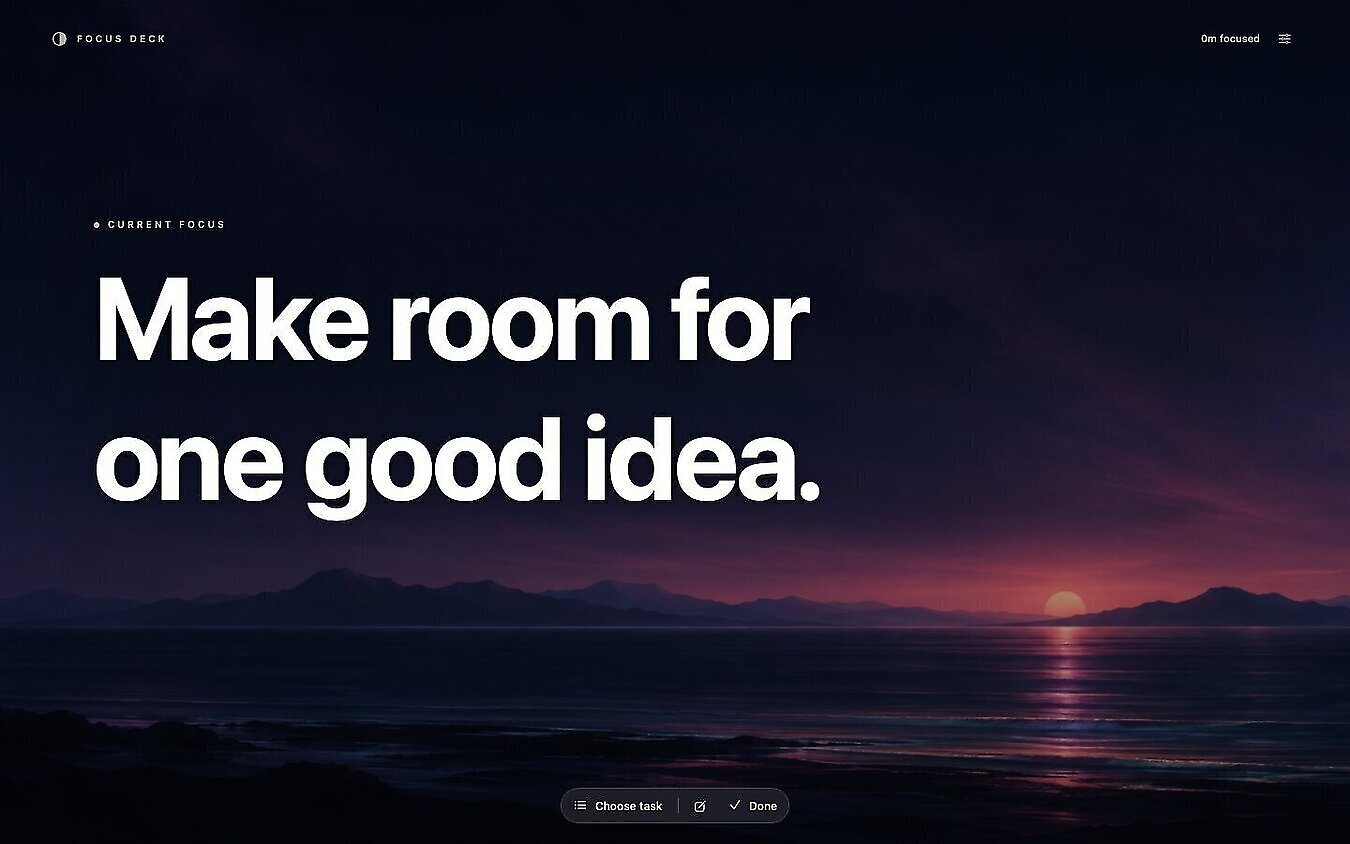
Keep one task close.
Big, readable words. Resize the window, put it on a second screen, or keep it floating above your work.
Stay with your Today.
Create a task in Todoist, due today. Finish it in Focus Deck and it completes there too. Your own Todoist account is required.
Music within reach.
A quiet album square controls Spotify on your Mac. Play, pause, or skip to the next track without leaving your task.
New in 1.4.0: a little notice
Your next meeting appears above Current Focus with a live countdown. Dim at first, then white with a border in the final minute.
Connect your calendar. Open Settings → Calendar → Connect Calendar, choose your calendars, and set the reminder time. The default is 10 minutes. Uses accounts connected to Apple Calendar, including Google, Outlook, and iCloud. Read the changelog.
Make yourself at home
- Download and open the disk image.
- Drag Focus Deck into Applications.
- Open Focus Deck from Applications.
This is an unnotarized preview. If macOS blocks the app, open System Settings → Privacy & Security → Open Anyway. Only approve a download you trust. Apple's instructions
Your first task
- Copy your personal API token from Todoist Settings → Integrations → Developer.
- In Focus Deck, press
⌘ ,to open Settings. Paste the token under Todoist and save. - Press
⌘ Eto add a task for Today, or⌘ Kto choose an existing task. Press⌘ Dwhen it's done.
For music, open the Spotify desktop app. Allow Focus Deck to control Spotify when macOS asks.