How many parallel AI workflows can one engineer hold efficiently?
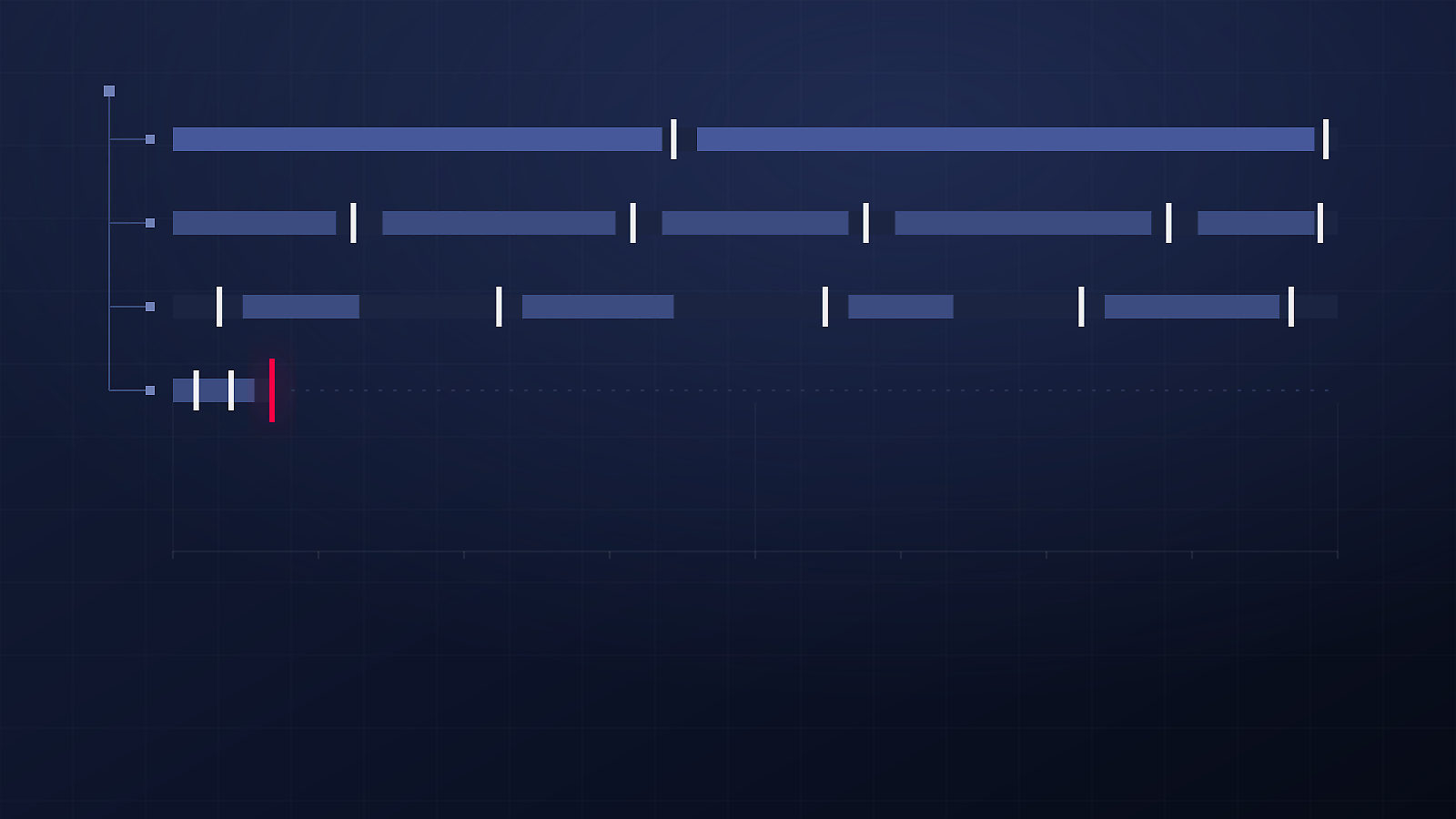
I ran four Claude Code sessions in parallel git worktrees for a day and kept notes. Three held, one fell off within the hour. Which tasks bundle into a parallel AI workflow, which fight for the same attention, and why the limit is not the machine.
I kept seeing the same claim: run several agents at once and you multiply your output. It sounds right until you try it, because the first thing to run out is not compute. It is attention, and it is yours.
So I gave it a day. One real project, real tickets, no demo repository. I set up git worktrees, opened a Claude Code session in each one, and kept notes.
Peak: 4 sessions. Stable: 3.
I'm convinced it's a valid flow, even for product development, but only under a few conditions: the right task mix, solid focus, and not overloading your own context. The number itself turned out to be the least interesting part of it.
Why worktrees, not four terminals
Each worktree is a separate checkout on its own branch, sharing a single .git. That separation is the point: two agents in one checkout collide within minutes, one running the test suite while the other is halfway through rewriting the file being tested. Claude Code documents the pattern for exactly this reason.
The four sessions
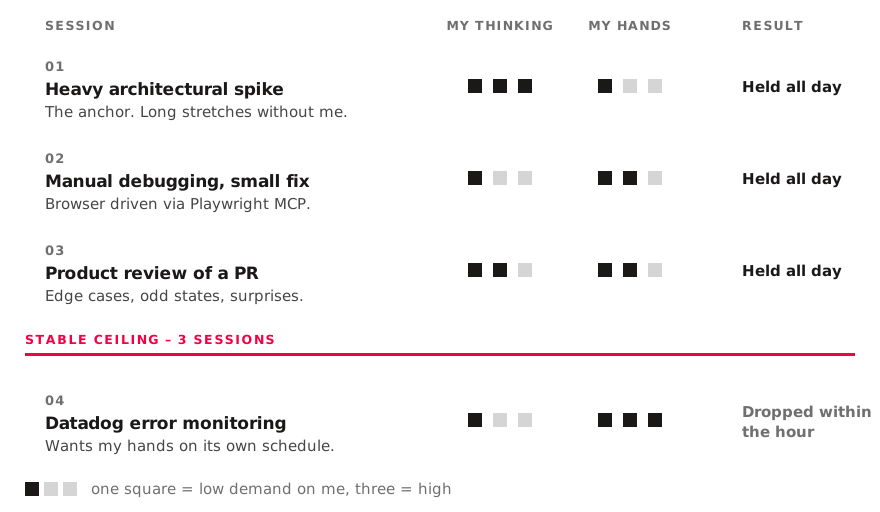
The first was the anchor: a heavy spike, tons of reasoning and architectural decisions, but it didn't need my hands every minute. That gap is exactly what makes a second session possible.
The second was something more local – manual debugging with a small fix. I wired a browser to it through the Playwright MCP server, so Claude Code could drive the page and test variants on its own instead of asking me to click through them. I'd answer a question and drop in context now and then.
Since neither of those needed 100% of me, I added a third: a product review of a colleague's pull request – edge cases, odd states, unexpected scenarios. Review is bursty work. It wants your judgment in short concentrated pulls and nothing at all in between, which makes it a good fit for the gaps.
The fourth was error monitoring in Datadog. It fell off fast.
Sorting tasks by shape, not by size
What I actually got out of the day was not a number. It was a way of sorting tasks before starting them, on two axes that have nothing to do with how big the ticket is: how much of your thinking a task wants, and how often it wants your hands – and, the part I had not thought about properly before, whose schedule it wants them on. A debugging session wants your hands often, but on your schedule; the agent waits. An alert wants them rarely, on its own schedule, and it does not wait.
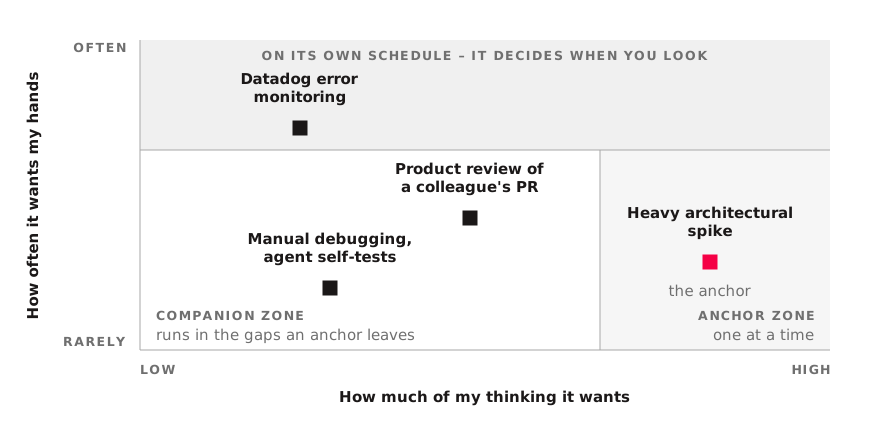
Plotted that way, the day explains itself. Monitoring does not parallelize at all – not because it is hard, but because it decides when you look at it. That is why the fourth session died. Which gives the rule: one anchor at a time, then one or two companions from the light half. Never two anchors. They do not add up, they take from each other, and you notice late, when both are already going badly.
What I'd tell someone starting tomorrow
- Start from the anchor, not from the number. Pick the task that will genuinely occupy an agent for a long stretch, then ask what fits around it. Deciding on four sessions and hunting for work to fill them is the wrong way round.
- Give every session its own worktree and its own branch. It is cheap, and it removes a whole class of problem instead of making it rarer.
- Favor companions the agent can verify by itself. A browser through Playwright MCP, a test command, a linter. The expensive sessions are the ones where you are the only oracle.
- Kill sessions early. The fourth one was not a failure of the flow, it was the flow working. Being willing to drop back to three is what makes trying four safe.
- Count stable, not peak. Peak is a number you can post. Stable is the number you can work at.
Efficiency went up. Stress did not, in any way I noticed, and I think that is down to the mix rather than to anything about the tooling. Feel the cognitive load of each task and bundle them so they do not fight for attention, and the day feels ordinary. Bundle them badly and you get all of the parallelism and none of the benefit.